
Inside the workout screen
The one you will use most, and the one hiding the most.
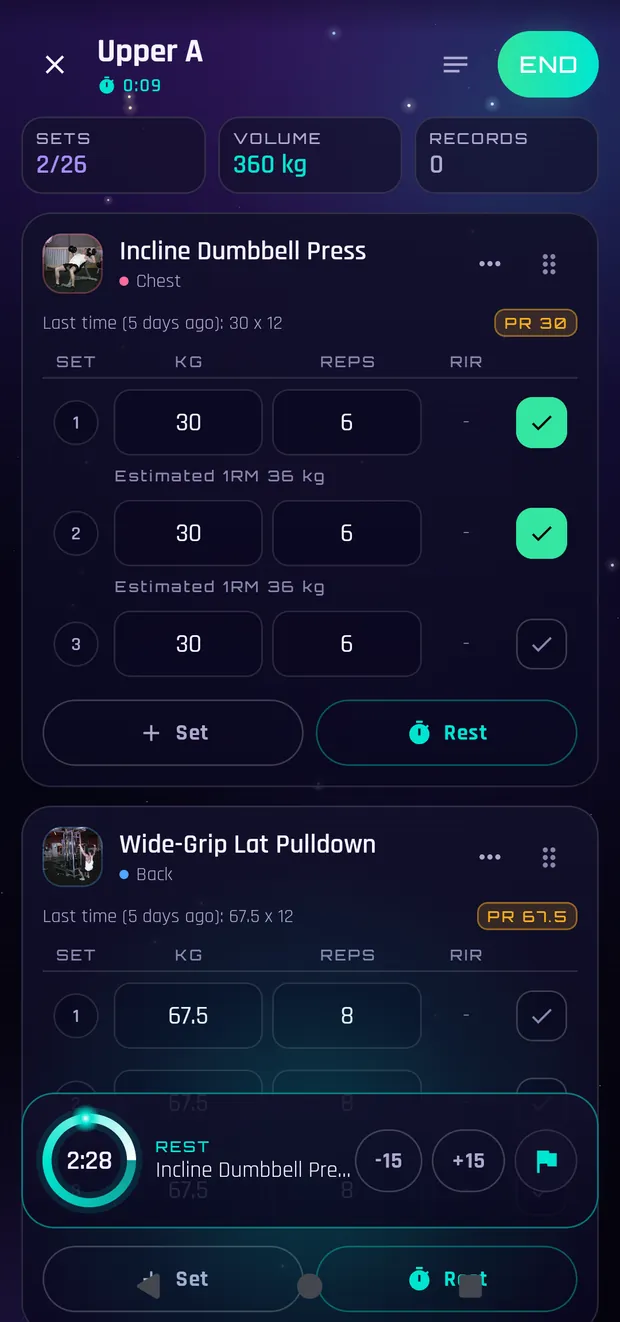
Logging a set
Type the weight and reps and tap the circle on the right. That makes the set count, and the rest timer starts on its own. The rest-over alert fires even if you leave the app or turn the screen off: the countdown also shows in the notification shade, and tapping that banner brings you back to the workout where you left it.
Tap the exercise name
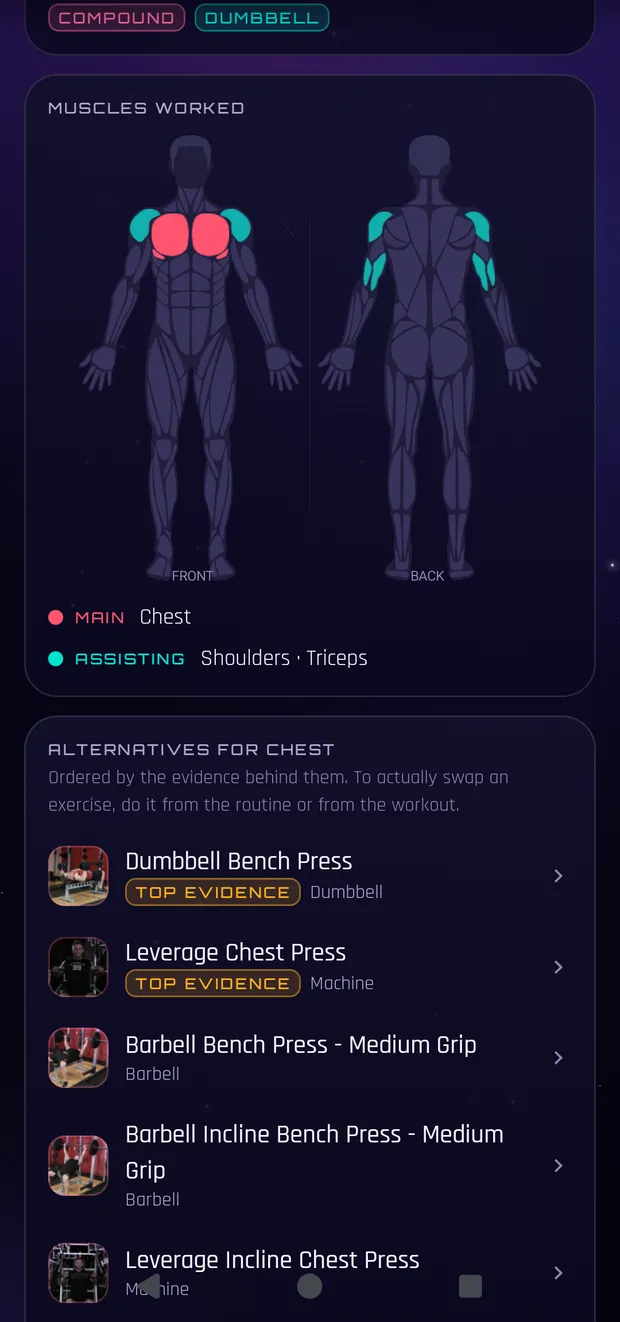
The least discovered and most useful thing here: tapping the name (or the thumbnail) opens the animated movement, the written technique, your records on that exercise and whatever the plan said about it. Close it and carry on, without losing your place.
Every set can have a type
Tap the set number to mark it as warm-up, to failure, eccentric, drop set or one-sided. Warm-ups do not count towards volume, records or XP, which is exactly the point. And the effort column takes RPE or RIR (you pick which in Profile).
What you cannot see by looking
On two-dumbbell exercises the weight column says «×2»: you log ONE dumbbell's weight and volume counts both. Barbell exercises get the plate calculator. The handle on the right reorders exercises when held. And the X at the top minimises the workout so you can go look something up: it does not end it, and a small bar stays at the top to get back.
More on How the app works
The first five minutes
Pick a plan, train, see what happens at the end. That is all.
Routines, programs and other people
What each one is, where they come from, what sharing actually sends.
What each chart is looking at
Progress has six things and each answers a different question.
Cosmos: what is shared and what is not
Box by box, and what never leaves even if you tick everything.
Your data: cloud, backups and importing
Where your history lives, how to get it out, how to bring it in.
This is general information written from the training literature, not medical advice or a personalised plan. If you take medication, have a health condition or something genuinely hurts, the person to ask is a healthcare professional.